Navigating Your Dashboard
Take a guided tour of the TakeUp dashboard and get familiar with the key performance metrics: Revenue, Occupancy, ADR, and RevPAR. We’ll also dig into booking engine search data and booking window trends—giving you a deeper understanding of what’s driving demand and how your property is pacing.
Understanding Pricing Decisions
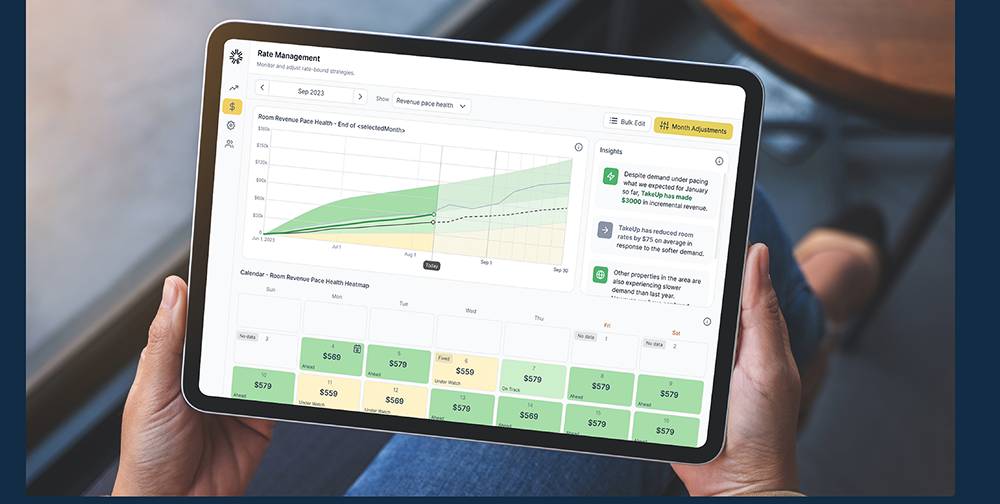
Explore the TakeUp Rate Management module. Learn what features and settings are controlled from this page and how the platform sets daily pricing based on pace health and demand signals.
Effective Rate Management
Understand Monthly revenue pace health and how to set daily pricing with TakeUp. We’ll show you what inputs influence pricing, how you can guide or override rates when needed, and how to stay aligned with your revenue goals—all with clarity and control.
About the Course
Get comfortable navigating the TakeUp platform and understanding the tools that drive your pricing strategy. This course gives you a guided tour of the dashboard and rate management module, helping you interpret key metrics, uncover booking trends, and understand how TakeUp sets and adjusts daily rates. You’ll walk away feeling confident in both the data and the decisions behind your pricing.
Course Curriculum
-
1
Getting Oriented
-
(Included in full purchase)
Full Web App Walkthrough
-
(Included in full purchase)
Navigating the TakeUp Dashboard
-
(Included in full purchase)
Key Metrics that Matter
-
(Included in full purchase)
-
2
Working with Pricing in TakeUp
-
(Included in full purchase)
3 Ways to Act on Pricing
-
(Included in full purchase)
Collaborate with AI
-
(Included in full purchase)
Using the Nudge Feature
-
(Included in full purchase)
Setting Custom Rates (Disabling TakeUp AI)
-
(Included in full purchase)
When to Fix or Override Rates
-
(Included in full purchase)
When to Fix or Override Rates Checklist
-
(Included in full purchase)
Ready to Enhance Your Revenue Management Skills?
Enroll now to unlock the secrets of revenue optimization and take your hospitality career to new heights.